Trying to spot small edits between two texts can take forever. It’s easy to miss changes, especially in long content.
A diff checker helps you compare text changes fast by highlighting what was added, removed, or updated. It’s the quickest way to find differences without doing it manually.
What Is a Diff Checker?
A diff checker is a tool that compares two pieces of text and shows the differences clearly.
It highlights:
- Added words
- Removed text
- Modified content
People use it for writing, SEO updates, coding, and document review. It works with plain text, documents, and even code.
Why Comparing Text Changes Matters
Small edits can change meaning, accuracy, or quality.
For example, you update a blog post or rewrite AI content. Without a clear comparison, you won’t know exactly what changed.
A diff checker helps you:
- Catch errors quickly
- Track updates with confidence
- Improve content quality
It removes guesswork and saves time.
How to Compare Text Changes Fast
(Quick Steps – Snippet Ready)
- Paste your original text
- Paste your updated text
- Click “Compare”
- Instantly view highlighted differences
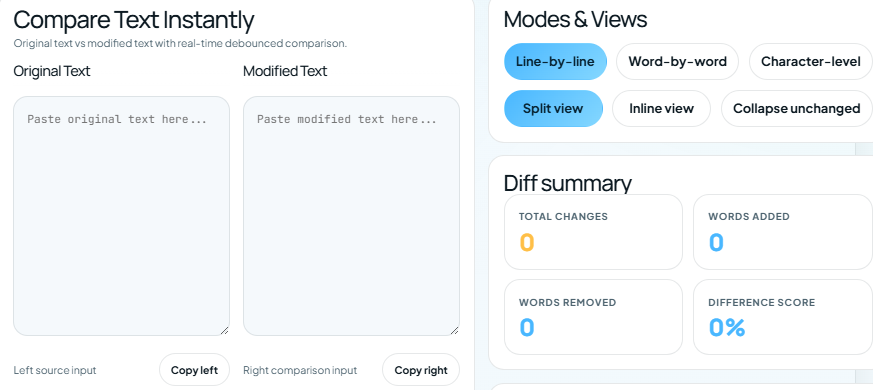
Most tools use colors:
- Green = added text
- Red = removed text
- Yellow = modified text
This makes it easy to scan changes in seconds.
How a Diff Checker Works
A diff checker compares text line by line and word by word.
It uses a comparison method to detect:
- Insertions
- Deletions
- Replacements
Then it highlights those differences so you can see them clearly.
You don’t need technical skills. Just paste and compare. You can also use grammarly.
Key Benefits of Using a Diff Checker
- Compare text changes fast with instant results
- High accuracy – catches even small edits
- Saves time – no manual checking
- Simple to use – copy, paste, done
- Works with large text – handles long documents
Common Mistakes When Comparing Text
Comparing manually
Manual comparison is slow and often inaccurate.
Missing small edits
Tiny changes can affect meaning or SEO.
Using poor tools
Basic tools don’t highlight differences clearly.
Ignoring formatting
Spacing and punctuation changes matter too.
👉 Always use a reliable diff checker for accurate results.
Manual vs Diff Checker vs AI Tools
| Method | Speed | Accuracy | Effort |
|---|---|---|---|
| Manual Comparison | Slow | Low | High |
| Diff Checker | Instant | High | Low |
| AI Tools | Fast | Medium | Medium |
A diff checker is the best option when you want speed and accuracy together.
Best Use Cases for Comparing Text Changes Fast
Diff checkers are useful in many situations:
- SEO content updates – compare old vs new versions
- AI rewriting checks – see what changed after rewriting
- Code comparison – find bugs or edits quickly
- Student work – track revisions
- Legal documents – verify changes clearly
Why Use an Online Diff Checker Instead of Manual Comparison
Manual comparison takes time and effort. You read line by line and still miss changes.
A diff checker:
- Shows results instantly
- Highlights every change
- Reduces human error
This makes it the fastest and most reliable way to compare text.
Try It Now
Want to compare text changes fast without effort?
👉 Use a diff checker now and see differences instantly. Just paste your text and get results in seconds.
FAQs
What is the fastest way to compare two texts?
A diff checker is the fastest way to compare text changes. It highlights differences instantly and accurately.
Can I compare large documents online?
Yes, most diff checkers support large text and process it quickly.
Is a diff checker free to use?
Many online diff tools are free and don’t require signup.
How accurate are diff checkers?
They are highly accurate and detect even small changes like punctuation or spacing.
Can I use a diff checker for code?
Yes, developers use diff checkers to compare code and track changes efficiently.
Conclusion
If you want to compare text changes fast, a diff checker is the best solution.
It’s quick, accurate, and easy to use. You don’t need to waste time checking text manually.
👉 Paste your text, click compare, and see changes instantly.